
In 2025, choosing the right productivity suite is more important than ever. Two top choices—Google Workspace and Microsoft Office 365—offer powerful cloud-based collaboration tools for businesses of all sizes.
But which one is best for you? This guide will help you compare both platforms in detail.
From real-time editing to document creation, cloud storage, AI features, and pricing—every key feature is covered.
Whether you’re a small startup or a large enterprise, understanding what each suite offers will help you decide smarter.
Let’s explore the differences and similarities between Google Workspace and Microsoft 365 in this ultimate guide built for 2025.
Both platforms have changed a lot over the years, adding new tools and smarter features. In this guide, we’ll look at how they stack up today and what makes each one unique for modern businesses.
Google Workspace vs Microsoft 365: Overview & Key Differences
Google Workspace and Microsoft 365 are both subscription-based models offering cloud storage, email management, and collaboration tools.
The main difference lies in how each suite handles apps and user experience. If you prefer working entirely online, Google platform offers a fast, minimalist approach. It includes apps like Gmail, Google Docs, Google Sheets, Google Slides, and Google Meet.
Microsoft Office, by contrast, blends the depth of desktop programs with the flexibility of the cloud.
You get full versions of Microsoft Word, Microsoft Excel, Microsoft PowerPoint, and Microsoft Outlook, as well as access to Microsoft Teams, SharePoint, and OneDrive.
It’s ideal for companies that need advanced file management, template creation, and data visualization features.
Both suites support seamless file sharing, workflow automation, and user interface customization, but your ideal choice depends on your team’s needs, technical environment, and preferred work style.
Comparison Chart: Microsoft Office 365 vs Google Workspace
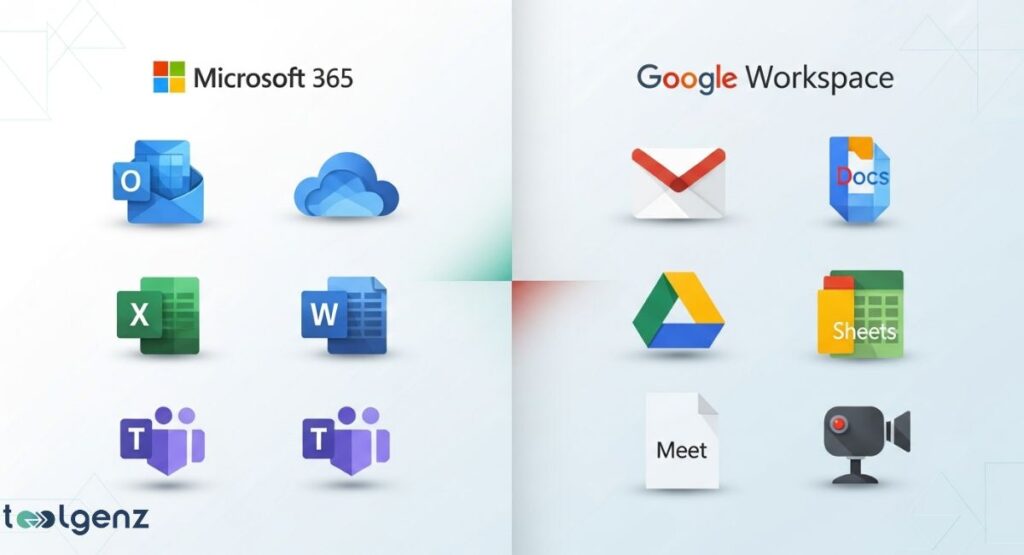
| Feature | Google Workspace | Microsoft Office 365 |
| Main Email App | Gmail | Microsoft Outlook |
| Video Meetings | Google Meet | Microsoft Teams |
| Word Processing | Google Docs | Microsoft Word |
| Spreadsheets | Google Sheets | Microsoft Excel |
| Presentations | Google Slides | Microsoft PowerPoint |
| Cloud Storage | Google Drive | OneDrive + SharePoint |
| AI Support | Gemini AI | Microsoft Copilot |
| Admin & Security | Google Vault, DLP, 2FA | Microsoft Defender, Azure Active Directory |
| Best For | Simplicity, education, startups | Power users, enterprises, advanced reporting |
Pricing & Plans Compared
When it comes to pricing plans, both platforms offer flexible options. Google platform has Business Starter, Business Standard, and Business Plus. Pricing starts at $6/user/month. All plans include cloud storage, collaboration tools, and video conferencing.
Microsoft has Microsoft 365 Business Basic, Business Standard, and Business Premium. Prices begin at $6/user/month too.
However, its higher-tier plans include desktop app access, advanced enterprise features, and strong threat protection like Microsoft Defender.
Google platform is simple and web-friendly, but Microsoft Office stands out for its robust desktop apps and stronger enterprise security.
Choosing the right plan depends on whether your business prioritizes mobility, advanced administrative controls, or AI-powered tools for smarter work.
Productivity & Collaboration Tools

Both platforms are strong productivity suites. With Google platform, users enjoy browser-based tools with clean interfaces and fast real-time editing.
Teams can work on Google Docs, Sheets, or Slides together without worrying about saving or version conflicts.
Microsoft office shines in detailed document work. Microsoft Word, Excel, and PowerPoint have more features for heavy users.
Their tools support complex formulas, pivot tables, and design formatting. Microsoft Teams also supports channels, chats, file sharing, and workflow automation.
For teams that rely on cloud-based collaboration and quick document sharing, Google Workspace is a great match.
Meanwhile, companies needing deep data visualization, template creation, and tight integration capabilities may lean toward Microsoft 365 for its robust desktop features and workflow automation options.
Cloud Storage & File Management
Google Drive offers 30GB to 5TB of cloud storage depending on the plan. Its file sharing is simple and works well across devices.
You can easily control who can view, comment, or edit your files. Google Vault helps with data recovery and compliance standards.
OneDrive and SharePoint in Microsoft office 365 offer between 1TB and unlimited storage. File management is more advanced. Users can access synced folders offline and use template creation tools. For backup, data loss prevention (DLP) features are included by default.
While Google Workspace focuses on ease of use and fast sharing, Microsoft 365 shines in enterprise security, storage capacity, and administrative controls.
Your decision will hinge on whether your team thrives with straightforward collaboration tools or requires more advanced file management.
Security, Compliance & Admin Controls

Security is critical in 2025. Google Workspace uses two-step verification, data loss prevention, and enterprise security protocols. Admins can control access, monitor activity, and set rules via a simple console.
Microsoft 365 provides top-tier security features. You get Microsoft Defender, Azure Active Directory, and in-depth administrative controls.
It meets strict compliance standards such as HIPAA and GDPR. It’s often the preferred platform for companies needing high-level threat protection and secure document sharing.
Both platforms prioritize enterprise security, but Microsoft’s deep threat protection tools and compliance standards give it an edge for industries handling sensitive data.
Meanwhile, Google Workspace stands out for businesses wanting easier user interface customization and faster deployment.
AI Tools and Smart Features
AI is shaping how we work. Google Workspace now includes Gemini AI, which helps with document creation, email sorting, and smart scheduling. It offers suggestions while typing, generates emails, and answers questions using AI.
Microsoft 365 introduced Microsoft Copilot, which uses AI-powered tools to draft reports, automate spreadsheets, and summarize emails. It brings powerful features into familiar apps like Microsoft Word, Excel, and Outlook.
Both AI tools help cut down repetitive tasks and speed up decision-making. And as these technologies advance, each platform is rolling out new features that are transforming everyday workflows.
Other Apps, Integrations & Extras

Google Workspace supports a wide range of third-party integration options, such as Zoom, Asana, Slack, and Trello. The Google Workspace Marketplace is easy to use and lets users add extra tools to enhance productivity.
Microsoft 365 works well with Adobe tools, Power BI, Salesforce, and custom apps via Power Platform. It allows deeper workflow automation with Power Automate.
For large businesses, Microsoft offers even more customization options.
Both suites ensure seamless app connections that scale with your needs. Whether you’re automating tasks or enhancing collaboration, their integration ecosystems help streamline workflows and reduce manual effort.
Service, Support & User Experience
Support matters when issues arise. Google Workspace provides 24/7 support via chat, email, and phone for Business plans. It’s praised for its user-friendly design and smooth user interface customization.
Microsoft 365 also provides 24/7 support with faster response on premium plans. Its interface is familiar to those used to desktop apps. Though it can be more complex, it allows more customization options and in-depth setup.
Both platforms deliver reliable customer service, but your experience may vary based on the complexity of your tools and how much hands-on configuration you require.
Choosing the Right Platform: Which One Is Best for You?
If you run a startup or school that values speed, simplicity, and cost, Google Workspace is an excellent choice. It’s easy to set up, uses a clean interface, and offers excellent collaboration tools like Google Meet and Google Docs.
But if your business needs more advanced document creation, file management, or enterprise features, then Microsoft Office 365 may be better.
With powerful apps like Microsoft Excel, SharePoint, and Microsoft Copilot, it suits medium to large companies that rely on deep data and heavy workloads.
Ultimately, your decision should align with your team’s work habits, tech preferences, and growth plans. Test both platforms, if possible, to see which one fits your environment best.
Final Thoughts
Ultimately, your choice between Google Workspace and Microsoft 365 will come down in 2025 depends on your team’s size, goals, and workflow. Both offer top-tier business applications, security compliance, and integration capabilities.
Whether you want smart cloud-based collaboration, strong email management, or top AI enhancements, this guide gives you all you need to decide confidently.
Take time to assess your team’s needs, test free trials if available, and involve key users in the evaluation process. The right choice today can improve productivity, enhance security, and scale with your business into the future.
FAQs
1. What are the disadvantages of Google Workspace?
It lacks some advanced desktop features, limited offline access, and can be less compatible with complex Microsoft Office files.
2. How much is Google Workspace vs Microsoft 365?
Both start at $6/user/month, but Microsoft 365 includes desktop apps and more enterprise features at higher tiers.
3. Why do businesses use Microsoft over Google?
Businesses prefer Microsoft for its robust desktop software, advanced security tools, and deeper enterprise integrations.
4. Is Google Workspace compatible with Microsoft 365?
Yes, but full compatibility may require formatting adjustments or limited features in complex Office documents.
5. Which is better, Google Workspace or Microsoft 365?
It depends on your needs—Google suits simplicity and collaboration, while Microsoft excels in advanced tools and enterprise use.