
In 2025, writing tools are smarter than ever—but Grammarly still leads the pack.
Whether you’re a student, a blogger, or a business professional, this AI-powered writing assistant is known for making writing clearer and mistake-free.
In this updated Grammarly review, we’ll explore its most useful features, compare the Grammarly Free Edition with the Premium version, and see if it’s truly worth the price.
With advanced grammar and spelling correction, real-time proofreading, and a sleek personal writing dashboard, the app has become a favorite for millions.
But is it really the best grammar checker 2024 has to offer? Let’s break it down.
Over time, The platform has added sharper suggestions, better context awareness, and improved support for mobile users.
From academic papers to professional emails, this tool fits almost every writing need.
Stick around as we dig into its plans, features, and real-world performance.
Grammarly: The #1 Grammar Checker Tool in 2025
Grammarly has carried its strengths from 2024 into 2025, adding fresh features and refining its tools for today’s writers.
It leads the market with millions of users globally, especially in the USA. Its strong reputation comes from being accurate, fast, and easy to use.
You can use the software on your browser, inside your Microsoft Word documents, on your phone, and even on your desktop.
It works as a browser extension for writing, a grammar checker for MS Word, and a Grammarly mobile keyboard for Android and iOS.
This flexibility makes it a favorite grammar tool for writers everywhere.
Whether you’re polishing a blog post or fine-tuning a resume, This tool adjusts to match your tone and intent.
It’s not just a spelling and punctuation corrector—it also offers sentence restructuring, tone detection features, and inclusive language recommendations that truly elevate your writing.
Exploring Grammarly’s Features: What It Can Really Do

This tool goes beyond simple spell checks, acting as a real-time proofreader that considers context, tone, and clarity.
Curious about how AI transforms writing tools? Check out our ultimate guide to Pro AI features to see what makes Grammarly stand out.
It looks at your sentence structure, clarity, word choice, and even the tone of your writing.
The tone detection feature helps you see if your message sounds friendly, formal, or rude.
The sentence restructuring tool improves how your writing flows. It even gives inclusive language recommendations so your writing sounds respectful and modern.
The software dashboard features let you see a history of your corrections and track your writing performance statistics over time.
It also helps users learn grammar rules explanations through suggestions and corrections.
Whether you’re using it as an AI-powered writing assistant or as part of your document editing software, the platform gives you reliable writing feedback reports that improve your skills with every draft.
Grammarly Free Edition: What You Actually Get
The Grammarly Free Edition offers basic grammar and spelling correction, punctuation checks, and limited writing suggestions tools.
It’s ideal for casual writers, students, and anyone who wants to clean up their emails or social media posts.
It works inside browsers like Chrome through the Grammarly extension for Chrome and offers basic help for sentence issues.
The free version includes contextual spell checking and simple grammar improvement suggestions, but it does not include advanced style or tone help.
Still, the Free Edition is a solid starting point. It lets new users experience the core of platform’s grammar and plagiarism tool without paying.
For those unsure about upgrading, the free version offers a safe and useful way to test the platform’s strengths.
Grammarly Premium and Its Perks: Is It Worth Paying For?
If you’re a student, business user, or professional, the Grammarly Premium benefits are worth looking into.
You get deeper corrections, advanced clarity suggestions, and full access to the plagiarism detection algorithm.
Premium adds help with sentence restructuring, writing tone adjustment, fluency fixes, and better vocabulary suggestions.
It also checks your writing for repetitive words and helps with more formal or academic tones. Many users say the value it adds is well worth the price.
Plus, The Premium version includes tools like inclusive language recommendations, detailed writing feedback reports, and access to the ProQuest database plagiarism scan.
These features make it a powerful editing tool for content creators and grammar tool for businesses.
Feature Comparison Table:
| Feature | Grammarly Free | Grammarly Premium |
| Grammar & Spelling | Basic | Advanced |
| Tone Detection | No | Yes |
| Plagiarism Check | No | Yes (with ProQuest database plagiarism scan) |
| Sentence Clarity | Basic | Deep rewrites |
| Vocabulary Help | No | Yes |
Grammar and Plagiarism Checks: How Accurate Are They?
Grammarly’s grammar and spelling tools are very accurate. As an English grammar tool, it catches most common errors. The suggestions feel natural and often better than other tools.
The grammar and plagiarism tool also performs well in academic and professional settings.
Its academic plagiarism checker compares your text with billions of pages and academic journals using the ProQuest database plagiarism scan.
While it’s not perfect, it does offer strong protection for students and writers. Independent evaluation from TechRadar confirms Grammarly’s strong grammar and plagiarism detection accuracy, earning it a reputation as the best overall AI writing assistant of 2025.
It’s especially useful for those who need grammar and spelling correction in real-time.
From casual emails to academic papers, the software’s AI-powered writing assistant supports clear, confident communication.
Grammarly Business and Education: Team Features and Academic Use

The Grammarly Business Plan is great for teams, agencies, and companies. It includes admin controls, writing feedback reports, shared style guides, and a personal writing dashboard for every user.
For schools, the Grammarly EDU (Education) account offers bulk licenses and integration with learning platforms.
Students benefit from grammar tips, grammar rules explanations, and plagiarism checks, while teachers can monitor performance and growth over time.
This makes it an ideal grammar tool for businesses and a trusted grammar tool for writers in academic settings.
Whether you’re managing content or guiding students, Grammarly delivers reliable support and easy collaboration.
Is Grammarly Free Even Worth a Try?
Yes, the free version is useful if you write casually or want quick help. It offers instant spelling and punctuation corrector features and basic grammar support.
Many users start with free and later upgrade to Premium. For basic tasks like sending professional emails, blog posts, or school assignments, Grammarly Free is a good introduction to what the full version offers.
It also helps you explore tools like the Grammarly extension for Chrome and the grammar checker for MS Word, making it easy to test the app in your daily writing.
For anyone unsure, it’s a risk-free way to try one of the best grammar checker 2024 tools.
Can Grammarly Replace a Human Proofreader? Here’s the Truth
Grammarly works quickly and efficiently, though it still has its limits. A human proofreader still understands style, context, and creativity better.
However, for most users, this tool is enough for day-to-day use.
Still, when you’re working on important documents like job applications, legal writing, or publishing, you may want both. The software can speed up edits, but it cannot fully match a professional’s eye.
That said, tools like the AI-powered writing assistant continue to evolve.
The platform now offers writing tone adjustment, inclusive language recommendations, and a writing suggestions tool that closely mirrors what expert editors look for.
Is Grammarly Safe to Use with Sensitive or Private Content?
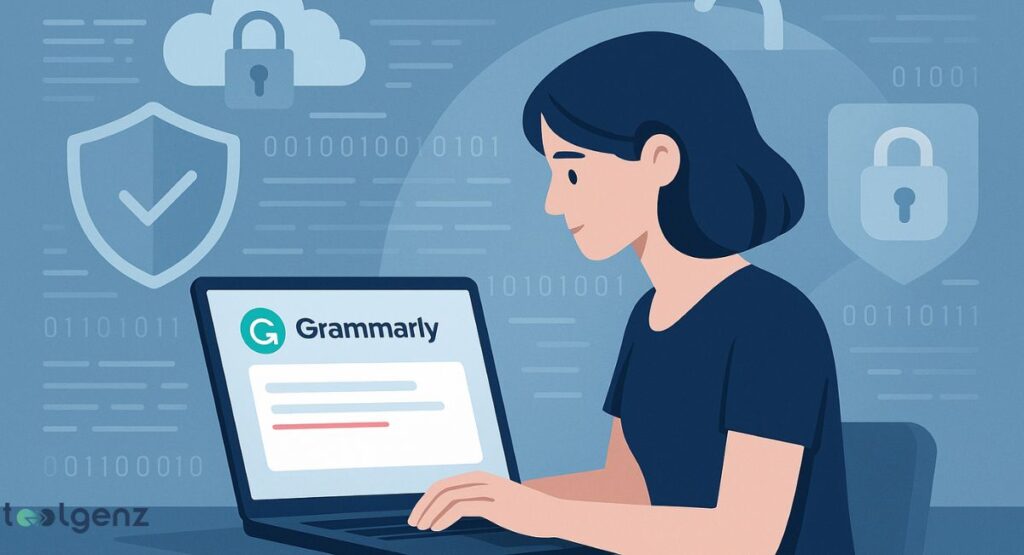
Grammarly uses secure writing software (SSL/TLS) and 256-bit AES encryption to protect your data. This means your writing is encrypted during transfer and storage.
The software promises not to read or share your content. Many businesses, lawyers, and medical professionals in the USA use it safely every day.
Still, if you’re working with highly confidential documents, it’s good to double-check what data is stored or processed.
These privacy features make the app a trusted grammar tool for businesses, especially those needing a professional email grammar checker or document editing software with extra layers of security.
Understanding Grammarly’s Plans: Free vs Premium vs Business
There are three main Grammarly plans. The Free Edition offers the basics.
The Premium version adds smart tools, clarity help, and plagiarism scans. The Grammarly Business Plan gives full access for teams.
Each plan fits different needs—Grammarly for students often starts with free, while professionals prefer Premium for its AI-powered writing assistant and tone detection feature.
Businesses get more control, including writing feedback reports and team dashboards.
Plan Comparison Table:
| Plan | Best For | Price (approx) | Features |
| Free | Students, casual users | $0/month | Basic corrections |
| Premium | Writers, bloggers, professionals | $12/month | Full writing help + Plagiarism scan |
| Business | Teams, schools, companies | $15/user/month | Team tools + Admin control |
Final Verdict: Grammarly Review 2025 — Is It Still the Best Tool for You?
Grammarly remains one of the best tools for writing help in 2025. With strong features, a smooth interface, and advanced AI, it’s still a leader in writing enhancement tools.
If you write often, the Premium version offers real value with tools like AI grammar checker, plagiarism detection algorithm, and tone detection feature.
For businesses and education, the Grammarly Business Plan and Grammarly EDU (Education) account bring collaboration and smart editing to a whole new level.
In short, The platform in 2025 is fast, helpful, and accurate. Whether you choose the Free vs Premium or go for the business version, it’s one of the smartest editing tools for content creators, students, and professionals alike.
So yes, Grammarly is absolutely worth it in 2025!
With regular updates and user-focused improvements, Grammarly continues to adapt to modern writing needs. Its cross-platform compatibility—from browsers to mobile apps—makes it convenient for users across all industries.
If you’re aiming for clarity, correctness, and confidence in your writing, Grammarly remains a reliable partner in 2025 and beyond.
FAQs
1. How much does Grammarly cost?
The Free version is $0, Premium starts at $12/month (billed annually), and Business plans begin at $15/user/month.
2. What are the restrictions on Grammarly Free?
It offers basic grammar, spelling, and punctuation checks but lacks advanced style, tone, and plagiarism tools.
3. Is it okay to download Grammarly for free?
Yes, Grammarly Free is safe, legal, and available for browsers, desktops, and mobile devices.
4. What is the disadvantage of using Grammarly?
It may miss complex context or creativity, and can’t fully replace a human editor or proofreader.
5. Is the free version of Grammarly worth it?
Yes, it’s great for everyday writing, emails, and social posts—but limited for professional or academic needs.