

Producing videos can be time-consuming and intimidating, especially without high-end equipment. This AI tool streamlines the process, letting you turn your scripts into polished videos quickly without a steep learning curve.
The platform combines an intuitive drag-and-drop editor with customizable templates and realistic AI avatars, making it easier for creators, marketers, and small businesses to produce videos that capture attention. Whether you’re creating YouTube tutorials, TikTok clips, or social media ads, this platform simplifies every step. By 2025, the platform has emerged as a versatile tool, helping users create high-quality videos quickly and efficiently.
What Is Vidqu AI? A Quick Overview
Vidqu AI is an advanced AI video generator designed to simplify digital content creation. Unlike traditional editors, Vidqu AI automates many tedious steps, so both newcomers and experienced creators can produce polished videos with less effort. The platform offers a drag-and-drop editor, customizable video templates, and lifelike AI avatars, which allow users to create professional-looking content quickly.
Founded to address the growing demand for accessible social media video content, Vidqu AI has become a staple in small business video tools and content creator tools in 2025. It can handle a range of video types, including marketing campaigns, tutorials, entertainment clips, and educational content. Users often highlight its reasonable cost and how it helps them create professional videos quickly, without compromising on quality.
Key Features of Vidqu AI
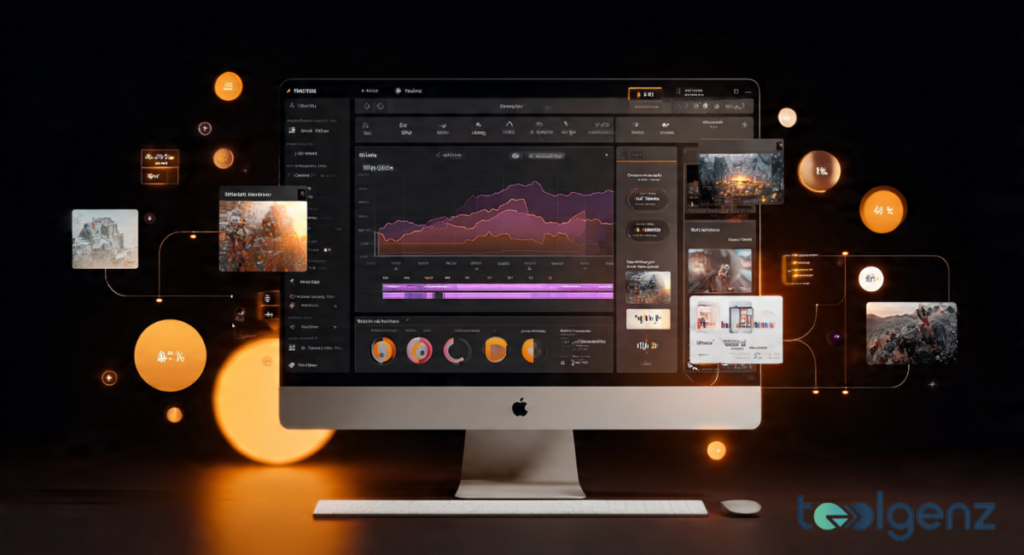
The platform includes several standout features that simplify video creation and enhance creativity. First, it offers face swap technology, allowing creators to replace faces in videos seamlessly. This is combined with lifelike AI avatars and natural-sounding voiceovers, which enhance the realism of your videos.
Next, the platform provides a vast stock media library and hundreds of video templates, making it easy to produce content for different platforms like Instagram, YouTube, or TikTok. The drag-and-drop editor allows anyone to create professional-quality videos without prior experience. Additionally, SEO optimization tools boost video discoverability, ensuring your content reaches a wider audience. From marketing campaigns to educational clips, Vidqu AI provides tools that help creators produce more content with less effort.
How Vidqu AI Works: Technology Behind the Tool
At the heart of Vidqu AI is a sophisticated AI-powered video creation engine that leverages machine learning to automate video production. When you input a script, the system analyzes the content and converts it into a video sequence using AI-generated visuals, transitions, and multilingual voiceovers.
The tool also uses neural networks for face swap technology, ensuring that replacements look natural in any scene. Animations, gestures, and lip-syncing are handled automatically, reducing the need for manual editing. This video production software is designed for speed and simplicity, allowing users to focus on creativity rather than technical details. Creators find that Vidqu AI’s interface makes it simpler to experiment and produce more content without the usual technical hurdles.
Pricing and Plans: Is It Worth Your Money?

Vidqu AI offers several pricing tiers to suit different user needs. The Free Plan allows users to test the platform but has limited minutes and includes a watermark. The Pro Plan ($39.99/month) is ideal for content creators and small businesses, offering more minutes, multi-face swaps, and access to video collaboration tools. For enterprises or agencies, the Business Plan ($99.99/month) includes unlimited video creation, advanced editing features, and team collaboration capabilities.
Pricing Table
| Plan | Price | Features | Ideal For |
|---|---|---|---|
| Free | $0 | Limited minutes, watermark | Beginners |
| Pro | $39.99/mo | 500 credits, multi-face swap, SEO tools | Creators & SMBs |
| Business | $99.99/mo | Unlimited minutes, team collaboration | Agencies & Enterprises |
The Pro Plan is a popular choice, offering advanced features at a cost that suits many creators. The free plan is suitable for beginners, while agencies benefit from the Business Plan’s advanced capabilities.
Vidqu AI vs. Competitors
Vidqu AI vs. competitors like Synthesia, Pictory, InVideo highlights its strengths. Unlike Synthesia, which focuses on enterprise-grade AI avatars, Vidqu AI offers user-friendly tools and affordable pricing for small businesses and creators. Compared to Pictory, which excels at repurposing content, Vidqu AI provides full control over customization, ensuring your videos stand out. InVideo offers a vast template library, but its AI features are less advanced than Vidqu AI’s, making it ideal for users who want both creativity and automation.
Vidqu AI sets itself apart by combining intuitive editing, customizable templates, SEO tools, and AI avatars, allowing creators to make videos more quickly and with less effort. Users consistently praise its ease of use and reasonable pricing, making it a solid option for creators seeking quality results without complex software.
Pros and Cons of Vidqu AI

Vidqu AI has several advantages. Its drag-and-drop interface makes it accessible for beginners, and the wide variety of video templates ensures that content is unique and visually appealing. SEO optimization tools boost video discoverability, helping content reach a wider audience. The platform is fast, versatile, and includes AI avatars and multilingual voiceovers, making it perfect for social media, marketing, and training videos.
On the downside, the free plan is limited, and some advanced features have a learning curve. The platform relies on stock media for visuals, which may not always match a creator’s vision. Even with a few limitations, Vidqu AI often offers better value and a more user-friendly experience compared to tools like Synthesia, Pictory, or InVideo.
Practical Applications and Use Cases
Vidqu AI can transform how creators and businesses produce video content. For small businesses, it’s an easy way to create professional ads without hiring a videographer, reducing costs and speeding up production. Content creators can produce engaging YouTube or TikTok videos in minutes using text-to-video tools and AI-generated voiceovers.
In marketing, Vidqu AI supports campaigns across platforms with social media video content that grabs attention. Educators can develop training videos with AI avatars, while entertainers can experiment with face swaps or parodies. Its versatility means Vidqu AI can be applied across different industries, from marketing and education to entertainment.
Tips to Make Your Vidqu AI Videos Stand Out

To maximize results with Vidqu AI, focus on storytelling, creativity, and optimization. Use engaging scripts and video templates to maintain viewer attention. Pair visuals with multilingual voiceovers to reach broader audiences. Optimize video titles, descriptions, and tags to boost discoverability using video SEO tools.
Experiment with avatars, effects, and editing options to maintain originality. Keep videos concise and engaging, ideally under three minutes for social media. Embedding videos in blog posts or sharing across platforms can increase reach and engagement. By following these tips, your videos will be more engaging and likely to reach a wider audience.
User Reviews and Feedback
Many real users praise ease of use and affordability. Creators note that drag-and-drop interface makes it accessible for beginners, and the results are professional enough for social media campaigns. Online reviews often highlight the AI avatars, SEO tools, and fast rendering as standout features that improve the video-making experience.
A few users note that advanced features take some time to learn, and the free plan has certain limits. On Reddit and G2, users highlight that Vidqu AI vs. competitors like Synthesia, Pictory, InVideo often favors Vidqu AI for cost-effectiveness and flexibility. Overall, testimonials show a strong preference among small business owners, marketers, and content creators seeking efficient video production.
Final Verdict: Should You Use Vidqu AI in 2025?

Vidqu AI is a comprehensive AI video generator that simplifies content creation, making it ideal for beginners and professionals alike. Its combination of AI avatars, drag-and-drop editor, video templates, SEO tools, and fast rendering allows users to create videos for marketing, education, or entertainment.
For small businesses, content creators, and social media marketers, Vidqu AI offers affordable pricing, practical tools, and high-quality results. While the free plan has limitations, the Pro and Business Plans provide excellent value. With its mix of powerful features and ease of use, Vidqu AI is a solid option for creators who want to produce more content efficiently in 2025.
FAQs
Does Vidqu AI do a good job with face swaps?
VidQu AI face swap is generally very accurate, producing smooth and natural results, though lighting and angles can affect quality.
How does VidQu AI Girlfriend work?
VidQu AI Girlfriend lets you interact with a virtual AI character that responds based on your inputs and preferences.
Can I use VidQu AI face swap on mobile?
Yes, VidQu AI face swap works on mobile browsers, so you can swap faces directly from your phone.
Is VidQu AI free to use?
Basic face swap features are free, but advanced tools and longer videos require a paid plan.
Is it possible to tell when a face swap has been done?
Yes, specialized detection tools can identify faceswaps by spotting subtle visual inconsistencies.